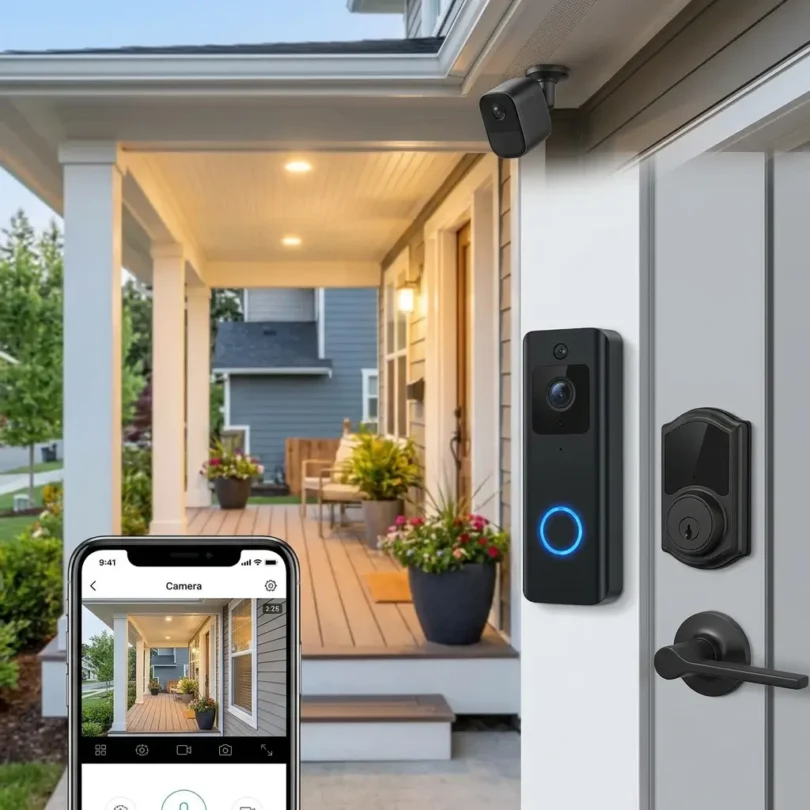

Home security has changed a lot in recent years. A security system is no longer just a loud alarm on the wall. Modern systems can include smart cameras, door and window sensors, motion detectors, video doorbells, smart locks, glass-break sensors, smoke and carbon monoxide alerts, water leak sensors, sirens, mobile apps, professional monitoring, emergency dispatch, and smart home automation.
For homeowners, this creates a big opportunity but also a big decision.
A basic DIY alarm kit may be enough for a small apartment or starter home. A larger house may need professional installation, outdoor cameras, cellular backup, smart locks, and monitored protection. Some homeowners want affordable self-monitoring. Others want 24/7 professional monitoring, emergency response, and smart home integration.
So the question is simple:
What are the best home security systems for smart protection?
The answer depends on your home size, budget, installation preference, monitoring needs, smart home devices, privacy expectations, and whether you want a contract or no-contract system.
In 2026, Forbes Home says home security systems can range from about $45 for low-cost equipment to around $3,000+ for professionally designed, installed, and wired systems, with an average equipment cost around $600. Monitoring can range from $0 to $80 per month, depending on whether you self-monitor or choose professional monitoring.
This guide compares the best home security systems, explains how they work, and helps homeowners choose the right system for smart protection.
What Is a Home Security System?
A home security system is a group of devices and services designed to detect, alert, record, and respond to possible threats around a home.
A modern home security system may include:
- Control panel
- Door sensors
- Window sensors
- Motion detectors
- Glass-break sensors
- Indoor cameras
- Outdoor cameras
- Video doorbell
- Smart locks
- Smart garage controller
- Siren
- Panic button
- Smoke detector
- Carbon monoxide detector
- Water leak sensor
- Flood sensor
- Mobile app
- Professional monitoring
- Cellular backup
- Battery backup
- Smart home automation
Some systems are simple and DIY-friendly. Others are professionally installed and monitored.
The best system should protect entry points, alert homeowners quickly, make it easy to check the home remotely, and provide reliable response options when something goes wrong.
How Much Does a Home Security System Cost?
Home security system cost depends on equipment, installation, monitoring, storage, permits, and smart home features.
General cost ranges:
| Cost Type | Estimated Range |
|---|---|
| Basic DIY alarm kit | $130–$400 |
| Mid-range DIY system | $400–$800 |
| Full smart security system | $800–$1,500+ |
| Professionally installed system | $600–$3,000+ |
| Professional installation | $99–$1,200+ |
| Self-monitoring | $0–$20/month |
| Professional monitoring | $20–$80/month |
| Cloud video storage | $3–$20+/month |
| Alarm permit | $25–$100/year in some areas |
NerdWallet says home security systems can start around $130 for a basic DIY alarm kit and can cost $2,000 or more for comprehensive professionally installed systems. It also says professional monitoring usually costs about $20 to $80 per month, while self-monitoring can be free or cost about $4 to $20 per month for added features such as video recording and smart notifications.
Angi’s 2026 installation guide lists home security system installation costs around $300 to $1,238, depending on system type and number of cameras. It also notes possible activation fees, alarm permits, and electrical permits for hardwired systems.
Best Home Security Systems for Smart Protection
Below are some of the best home security systems homeowners should compare in 2026.
1. ADT
Best for: Professional monitoring and professional installation
Good for: Larger homes, homeowners wanting trusted monitoring, smart home integrations
Main strength: Long-established security provider with professional support
ADT is one of the most recognized names in home security. It is often chosen by homeowners who want professional installation, professional monitoring, emergency response support, and a mature security brand.
Security.org’s 2026 testing named ADT as best for professional monitoring and installation, while SafeHome’s 2026 review placed ADT at the top for broad equipment lineup, dependable professional monitoring, and fast alert response.
Key Features
- Professional monitoring
- Professional installation
- Door and window sensors
- Motion detectors
- Smart cameras
- Video doorbells
- Smart locks
- Smoke and CO detection
- Mobile app
- Smart home integrations
- Cellular backup options
- Emergency response support
- Professional service
Why ADT Is Good
ADT is strong for homeowners who want a traditional, professionally supported security system. It can be a good choice for larger homes or families that want a trusted provider with monitoring centers, installation support, and a broad equipment lineup.
ADT can also integrate with smart home devices depending on system and package.
Best Fit
ADT is best for homeowners who want professional monitoring, professional installation, and a well-known security provider.
Possible Downsides
ADT may cost more than DIY systems. Homeowners should review contract terms, monitoring fees, installation costs, and cancellation rules before signing.
2. SimpliSafe
Best for: DIY home security and affordable professional monitoring
Good for: Apartments, small homes, renters, budget-conscious homeowners
Main strength: Easy setup, flexible monitoring, no traditional hardwired installation
SimpliSafe is one of the most popular DIY home security systems. It is designed for easy self-installation and flexible monitoring.
Security.org’s 2026 guide ranks SimpliSafe as best for deterring intruders and highlights it as one of the easiest DIY systems to install. It also notes features such as Intruder Intervention and Active Guard for certain protection options.
Key Features
- DIY installation
- Door and window sensors
- Motion sensors
- Indoor camera
- Outdoor camera options
- Video doorbell
- Siren
- Keypad
- Mobile app
- Optional professional monitoring
- Self-monitoring options
- No-contract style flexibility
- Battery backup
- Cellular backup on certain plans
Why SimpliSafe Is Good
SimpliSafe is strong because it is simple. Many homeowners do not want complex wiring, long installation visits, or complicated contracts. SimpliSafe makes it easier to start with basic sensors and expand later.
It can be a good fit for renters because many components are wireless and easier to move.
SafeHome’s 2026 affordability guide also says SimpliSafe packages start as low as $250, making it one of the more affordable quality options in its testing.
Best Fit
SimpliSafe is best for renters, apartments, small homes, and homeowners who want a simple DIY security system with optional monitoring.
Possible Downsides
SimpliSafe may not be as advanced as Vivint or ADT for deep smart home automation and large-property professional design.
3. Vivint
Best for: Smart home automation and premium security
Good for: Homeowners who want cameras, smart locks, automation, and professional installation
Main strength: Premium smart home security experience
Vivint is a premium home security and smart home automation provider. It is known for professional installation, smart home features, cameras, smart locks, garage controls, thermostats, and an integrated app experience.
Security.org’s 2026 guide names Vivint as best for home automation.
Key Features
- Professional installation
- Professional monitoring
- Smart cameras
- Video doorbell
- Smart locks
- Smart thermostat
- Garage door control
- Door and window sensors
- Motion detectors
- Mobile app
- Smart home automation
- Voice assistant integrations
- Custom system design
Why Vivint Is Good
Vivint is strong for homeowners who want more than basic security. It can connect security devices with smart home automation, such as unlocking doors, controlling lights, adjusting thermostats, checking cameras, and managing garage access.
It is especially useful for homeowners who want a premium installed system and do not want to build a DIY setup piece by piece.
Best Fit
Vivint is best for homeowners who want a premium smart home security system with professional installation and automation.
Possible Downsides
Vivint can be more expensive than DIY systems. Homeowners should compare equipment cost, financing, monitoring fees, and contract terms carefully.
4. Ring Alarm
Best for: Cameras, video doorbells, and Alexa users
Good for: Budget-conscious homeowners, renters, camera-focused security
Main strength: Affordable equipment and strong camera ecosystem
Ring Alarm is a popular DIY home security system, especially for homeowners already using Ring video doorbells or Ring cameras.
Security.org’s 2026 guide names Ring Alarm as best for security cameras and video doorbells. Tom’s Guide’s DIY security roundup also highlights Ring Alarm for its extensive camera ecosystem.
Key Features
- DIY installation
- Ring video doorbells
- Indoor cameras
- Outdoor cameras
- Door and window sensors
- Motion detectors
- Keypad
- Siren
- Mobile app
- Alexa integration
- Optional monitoring
- Cloud video recording plans
- Smart lighting options
Why Ring Alarm Is Good
Ring is useful for homeowners who want video-focused home security. Its video doorbells and cameras are widely recognized, and the Ring app makes it easy to check alerts, view footage, and manage devices.
Ring can also be a good option for renters and homeowners who want to start small and expand over time.
Best Fit
Ring Alarm is best for homeowners who want affordable DIY security with strong video doorbell and camera options.
Possible Downsides
Cloud video storage and advanced features usually require subscriptions. Privacy-conscious homeowners should review Ring’s data, sharing, and privacy settings carefully.
5. Abode
Best for: No-contract monitoring and smart home compatibility
Good for: Smart home users, Apple Home users, flexible DIY protection
Main strength: Strong smart home integrations and flexible monitoring
Abode is a DIY home security system known for flexible monitoring and broad smart home compatibility.
Tom’s Guide’s DIY home security roundup recommends Abode as best overall because of its smart home compatibility and flexible service tiers, while Security.org names Abode as best no-contract monitoring in its 2026 list.
Key Features
- DIY installation
- Door and window sensors
- Motion sensors
- Gateway or all-in-one hub options
- Indoor camera options
- Siren
- Mobile app
- Self-monitoring
- Optional professional monitoring
- Smart home integrations
- Apple HomeKit support on some systems
- Alexa and Google Assistant compatibility
- Automations
Why Abode Is Good
Abode is strong for homeowners who care about smart home flexibility. It is often attractive to users who want security plus automation without being locked into one ecosystem.
It is also useful for people who want no-contract monitoring and the ability to switch between self-monitoring and professional monitoring.
Best Fit
Abode is best for smart home users who want flexible DIY security and broad device compatibility.
Possible Downsides
Abode may not be as familiar to mainstream homeowners as ADT, Ring, or SimpliSafe. Some advanced features may require paid plans.
6. Frontpoint
Best for: Customer service and DIY monitored security
Good for: Homeowners who want support with DIY setup
Main strength: Customer support and guided security packages
Frontpoint is a DIY home security provider known for customer support, wireless equipment, and professional monitoring options.
Security.org’s 2026 ranking lists Frontpoint as best for customer service and support.
Key Features
- DIY installation
- Wireless sensors
- Door and window sensors
- Motion detectors
- Cameras
- Mobile app
- Professional monitoring
- Crash-and-smash protection features
- Smart home compatibility
- Customer support
- Equipment packages
Why Frontpoint Is Good
Frontpoint can be a good fit for homeowners who want DIY installation but still want strong support. It gives users a monitored security experience without requiring a traditional professional installation visit.
Best Fit
Frontpoint is best for homeowners who want DIY setup with strong customer service and professional monitoring.
Possible Downsides
Frontpoint may cost more than basic DIY systems. Compare monitoring fees and equipment packages before buying.
7. Cove
Best for: Affordable DIY professional monitoring
Good for: Budget-conscious homeowners who still want emergency monitoring
Main strength: Lower-cost monitored security
Cove is a DIY home security provider that focuses on affordable equipment and professional monitoring.
Security.org’s 2026 list names Cove as most affordable DIY system, and its budget-friendly security guide notes Cove as a lower-cost monitored alternative compared with some bigger providers.
Key Features
- DIY installation
- Door sensors
- Window sensors
- Motion detectors
- Touchscreen panel
- Key remote
- Medical alert button options
- Indoor camera options
- Professional monitoring
- Mobile app
- Environmental sensors
- No traditional hardwired installation
Why Cove Is Good
Cove is useful for homeowners who want professional monitoring but do not want a premium system price. It can be a good balance between affordability and monitored protection.
Best Fit
Cove is best for homeowners who want affordable DIY security with professional monitoring.
Possible Downsides
Cove may not offer the same smart home depth as Vivint, ADT, Abode, or Ring.
8. Brinks Home Security
Best for: Smart home integrations and monitored security
Good for: Homeowners wanting third-party smart home device support
Main strength: Monitoring and smart home compatibility
Brinks Home Security offers professionally monitored home security systems and smart home integrations.
Security.org’s 2026 guide lists Brinks as best for smart home integrations, noting support for Alexa, Google Assistant, and third-party smart home brands such as Kwikset, myQ, and Alarm.com integrations.
Key Features
- Professional monitoring
- Door and window sensors
- Motion detectors
- Cameras
- Smart locks
- Garage control integrations
- Mobile app
- Smart home integrations
- Alarm.com ecosystem
- Wireless equipment
- Professional support
Why Brinks Is Good
Brinks may be a good option for homeowners who want monitored security with smart home integrations. It can work well for users who want a system that connects with existing smart devices.
Best Fit
Brinks is best for homeowners who want professional monitoring and smart home integrations.
Possible Downsides
Check contract terms and monthly fees carefully. Some homeowners may prefer simpler no-contract DIY systems.
9. Wyze Home Monitoring
Best for: Budget cameras and low-cost DIY monitoring
Good for: Apartments, renters, small homes, budget security setups
Main strength: Very low-cost smart home and camera ecosystem
Wyze is known for affordable smart cameras and home devices. It also offers home monitoring options, making it attractive for budget-conscious homeowners.
Tom’s Guide’s DIY security system roundup highlights Wyze as a strong budget option with low equipment and monitoring costs, though it notes limitations such as less smart home depth and backup limitations compared with premium systems.
Key Features
- Affordable cameras
- Entry sensors
- Motion sensors
- Keypad
- Hub
- Mobile app
- Home monitoring plan options
- Smart bulbs and plugs
- Indoor and outdoor cameras
- Video storage options
Why Wyze Is Good
Wyze is useful for homeowners who want basic smart protection at a low cost. It can be a good starting point for apartments, renters, and small homes.
Tom’s Guide’s 2026 camera guide also names Wyze Cam v4 as a budget indoor camera option with 1440p video, color night vision, and microSD support under $50.
Best Fit
Wyze is best for budget-conscious users who want low-cost cameras and basic DIY monitoring.
Possible Downsides
Wyze may not be the best choice for homeowners who want premium professional monitoring, strong cellular backup, or advanced smart home automation.
10. Eufy Security
Best for: Subscription-free cameras and local storage
Good for: Privacy-conscious users, camera-focused homeowners, no monthly fee setups
Main strength: Local storage and no-subscription camera options
Eufy Security is known for smart cameras, video doorbells, local storage, and subscription-free options. It is especially popular with homeowners who want to reduce monthly fees.
Tom’s Guide’s 2026 home camera guide highlights Eufy S350 as a subscription-free indoor camera option with 4K video, pan/tilt functionality, and built-in smart detection. It also highlights EufyCam 3 as a premium subscription-free 4K outdoor option with solar power and AI detection.
Key Features
- Indoor cameras
- Outdoor cameras
- Video doorbells
- Local storage options
- No-subscription camera options
- Solar-powered camera options
- Smart detection
- Mobile app
- HomeBase storage
- Battery-powered cameras
- Smart lock options
- Alarm kit options
Why Eufy Is Good
Eufy is strong for homeowners who want camera-based security without paying ongoing cloud storage fees. Local storage can be attractive for privacy-conscious users and people who dislike subscriptions.
Best Fit
Eufy is best for homeowners who want subscription-free smart cameras and local storage.
Possible Downsides
Eufy may not be the best fit if you want a traditional full-service professional monitoring system like ADT or Vivint.
Quick Comparison Table
| Home Security System | Best For | Main Strength | Best Homeowner Type |
|---|---|---|---|
| ADT | Professional monitoring | Established provider and pro install | Larger homes and traditional users |
| SimpliSafe | DIY alarm system | Easy setup and flexible monitoring | Renters and small homes |
| Vivint | Smart home security | Premium automation and pro install | Smart-home-focused homeowners |
| Ring Alarm | Cameras and doorbells | Camera ecosystem and Alexa integration | Video-first users |
| Abode | Smart home flexibility | No-contract monitoring and integrations | Smart home users |
| Frontpoint | Customer support | DIY with guided support | Homeowners wanting help |
| Cove | Affordable monitoring | Budget DIY monitored system | Cost-conscious users |
| Brinks | Smart integrations | Monitored security with device support | Smart home households |
| Wyze | Budget cameras | Low-cost security devices | Apartments and small homes |
| Eufy | Local storage | Subscription-free camera options | Privacy-conscious users |
Important Features to Look for in a Home Security System
1. Entry Sensors
Door and window sensors are the foundation of most alarm systems. Start by covering main entry points.
2. Motion Detectors
Motion sensors detect movement inside the home. They are useful for hallways, living rooms, and large open areas.
3. Cameras
Indoor, outdoor, and doorbell cameras help you see what is happening. Camera quality, night vision, storage, and subscriptions matter.
4. Professional Monitoring
Professional monitoring means a monitoring center can contact emergency services when alarms are triggered.
5. Self-Monitoring
Self-monitoring sends alerts to your phone. It may be free or cheaper but requires you to respond yourself.
6. Cellular Backup
Cellular backup helps the system communicate if Wi-Fi goes down.
7. Battery Backup
Battery backup keeps the system working during power outages.
8. Smart Locks
Smart locks let you lock and unlock doors remotely, create guest codes, and automate access.
9. Smart Home Integrations
Check compatibility with Alexa, Google Home, Apple Home, Z-Wave, Zigbee, or Matter depending on your devices.
Google Home says its smart home platform can connect thousands of devices to manage, monitor, and automate the home, and modern security systems often depend on these ecosystem integrations.
10. Privacy Controls
Security cameras and smart devices collect sensitive home data. Choose systems with strong privacy controls, secure accounts, two-factor authentication, and clear storage settings.
DIY vs Professionally Installed Home Security
DIY Security Systems
DIY systems are usually wireless and easier to install yourself.
Best for:
- Renters
- Apartments
- Small homes
- Lower budgets
- People who want flexibility
- Users who dislike contracts
Common DIY systems:
- SimpliSafe
- Ring Alarm
- Abode
- Cove
- Wyze
- Eufy
Professionally Installed Systems
Professionally installed systems are set up by technicians and often include monitoring contracts or service agreements.
Best for:
- Larger homes
- Complex layouts
- Homeowners wanting expert placement
- People who want full-service support
- Smart home automation projects
Common professional systems:
- ADT
- Vivint
- Brinks
- Some local alarm companies
Professional installation costs more, but it can reduce setup mistakes and improve sensor placement.
Professional Monitoring vs Self-Monitoring
Professional Monitoring
Professional monitoring is best if you want emergency response support when alarms are triggered.
Pros:
- 24/7 monitoring center
- Emergency dispatch support
- Better for travel
- Better if you may miss phone alerts
- Useful for fire, CO, and burglary alerts
Cons:
- Monthly fee
- Possible contracts
- False alarm fees in some areas
- Permit may be required
Self-Monitoring
Self-monitoring means you receive alerts and decide what to do.
Pros:
- Lower cost
- No monitoring contract
- Good for cameras and simple alerts
- Flexible for renters
Cons:
- You must respond yourself
- Alerts can be missed
- No monitoring center dispatch
- Less ideal for emergencies when unavailable
NerdWallet says self-monitoring can be free or cost about $4 to $20 per month for extra features, while professional monitoring usually costs $20 to $80 per month.
Best Home Security System by Home Type
Best for Apartments
SimpliSafe, Ring Alarm, Abode, Wyze, and Eufy are good because they are DIY-friendly and often wireless.
Best for Renters
SimpliSafe, Ring, Abode, and Wyze are strong options because they are easier to move.
Best for Large Homes
ADT, Vivint, Brinks, and professionally installed local systems may work better for large homes with many entry points.
Best for Smart Homes
Vivint, Abode, Brinks, ADT, and Ring are strong depending on your ecosystem.
Best for Budget Security
Wyze, Cove, Ring Alarm, and SimpliSafe are good options.
Best for Cameras
Ring, Eufy, Google Nest, Arlo, and Wyze are strong camera ecosystems. Tom’s Guide’s 2026 camera guide highlights Nest, Wyze, Blink, Eufy, and other models as strong camera choices depending on indoor/outdoor use, storage, and budget.
Best for No Monthly Fees
Eufy, Abode self-monitoring, and some local-storage camera systems can reduce subscription costs.
Home Security Privacy and Cybersecurity Tips
Smart security systems protect the home, but they also create digital risk if accounts or devices are not secured.
Use these best practices:
- Use strong passwords
- Enable two-factor authentication
- Update device firmware
- Use a secure Wi-Fi network
- Avoid reusing passwords
- Review camera sharing settings
- Limit access to trusted users
- Turn off features you do not need
- Check cloud storage settings
- Use local storage if privacy is a major concern
- Remove access for old tenants, guests, or contractors
A 2026 cross-national review of government smart-home cybersecurity guidance found that governments provide lots of general smart-home security advice but that structured incident-response guidance for compromised smart homes is still limited. That makes prevention and basic account security especially important for homeowners.
Common Home Security Mistakes
Mistake 1: Only Installing Cameras
Cameras record events, but sensors and alarms detect break-ins. Use both when possible.
Mistake 2: Ignoring Doors and Windows
Most systems should start with entry sensors on main doors and accessible windows.
Mistake 3: No Backup Connection
Wi-Fi-only systems may fail if the internet goes down. Cellular backup can help.
Mistake 4: Forgetting Monthly Costs
Monitoring and cloud storage can raise long-term cost.
Mistake 5: Not Reading Contracts
Some systems require contracts, cancellation fees, or equipment financing.
Mistake 6: Poor Camera Placement
Cameras should cover key areas without violating neighbor privacy.
Mistake 7: Weak Passwords
A hacked camera or app can create privacy problems.
Mistake 8: Buying Too Much Equipment
Start with entry points, common areas, and outdoor visibility. Expand later.
Questions to Ask Before Buying a Home Security System
Before choosing a system, ask:
- Is installation DIY or professional?
- What equipment is included?
- Is professional monitoring required?
- What is the monthly monitoring fee?
- Is there a contract?
- Is there an early termination fee?
- Does it include cellular backup?
- Does it include battery backup?
- Are cameras included?
- Is cloud storage extra?
- Does it work with Alexa, Google, or Apple Home?
- Can I move it if I change homes?
- Are permits required in my city?
- What happens during a false alarm?
- Who owns the equipment?
- What privacy controls are available?
A good home security system should fit your home, not pressure you into unnecessary extras.
Final Verdict: What Is the Best Home Security System?
The best home security system depends on your home, budget, monitoring needs, and smart home goals.
For most homeowners:
- Best professional monitoring and installation: ADT
- Best DIY security system: SimpliSafe
- Best premium smart home security: Vivint
- Best for video doorbells and cameras: Ring Alarm
- Best no-contract smart home system: Abode
- Best customer support: Frontpoint
- Best affordable monitored DIY system: Cove
- Best smart home integrations: Brinks
- Best low-cost camera setup: Wyze
- Best subscription-free camera ecosystem: Eufy
If you want a traditional professionally supported system, compare ADT, Vivint, and Brinks. If you want DIY security with lower upfront complexity, compare SimpliSafe, Ring, Abode, Cove, and Wyze. If cameras and local storage matter most, compare Eufy, Ring, Google Nest, and Arlo.
The most important point is simple: start with the real risks around your home. Protect doors, windows, and outdoor entry points first. Then add cameras, smart locks, monitoring, and automation based on your budget and comfort level.
FAQs About Home Security Systems
What is the best home security system?
The best home security system depends on your needs. ADT is strong for professional monitoring, SimpliSafe is strong for DIY security, Vivint is best for smart home automation, Ring is strong for cameras, and Abode is strong for no-contract smart home flexibility.
How much does a home security system cost?
Forbes Home says home security system equipment can range from about $45 to $3,000+, with an average around $600. Monitoring can range from $0 to $80 per month.
How much does professional monitoring cost?
Professional monitoring usually costs about $20 to $80 per month. Self-monitoring can be free or cost about $4 to $20 per month for added features such as video recording and smart notifications.
Is ADT better than SimpliSafe?
ADT is better for professional installation and traditional monitored security. SimpliSafe is better for DIY setup, flexibility, and lower-cost home security.
Is Ring Alarm good for home security?
Yes. Ring Alarm is a good option for homeowners who want DIY security with strong camera and video doorbell options, especially if they use Alexa.
Is Vivint worth it?
Vivint may be worth it for homeowners who want premium smart home security, professional installation, cameras, locks, automation, and monitoring. It may be too expensive for basic security needs.
Do I need professional monitoring?
Professional monitoring is useful if you want emergency response support when you are asleep, traveling, busy, or unable to respond to alerts. Self-monitoring may be enough for lower-risk homes or budget-conscious users.
Are DIY security systems reliable?
Yes, many DIY systems are reliable when installed correctly and supported by battery backup, cellular backup, and good sensor placement.
Do home security systems require Wi-Fi?
Many smart systems use Wi-Fi for apps, cameras, and notifications. Some systems also use cellular backup for alarm communication.
What is the best security system with no monthly fee?
Eufy and some local-storage camera systems are good for reducing monthly fees. Abode and other DIY systems may also offer self-monitoring options.